


Please find some helpful information on the activity day sign up process. This page includes details on:
- completing the sign up form;
- Accepting and sharing the activity days events with your section
- Providing your details and volunteering preferences for the Event Staff Team if you signed up as a volunteer.
Complete sign-up form
The first step is to complete your details on the “Activity Days Event Sign Up” form.
When signing up you have 3 options:
- to sign up as a participating Squirrel Drey, Beaver Colony or Cub Pack;
- to sign up as volunteer on the event staff team only
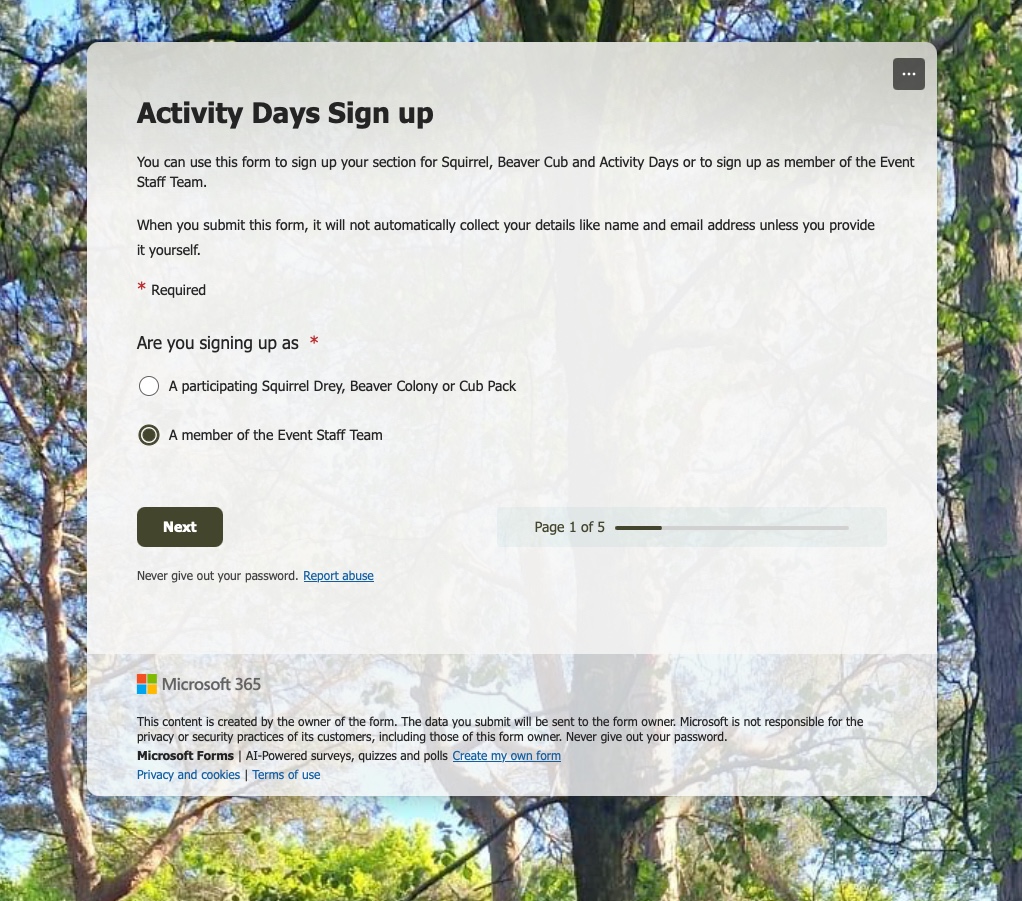
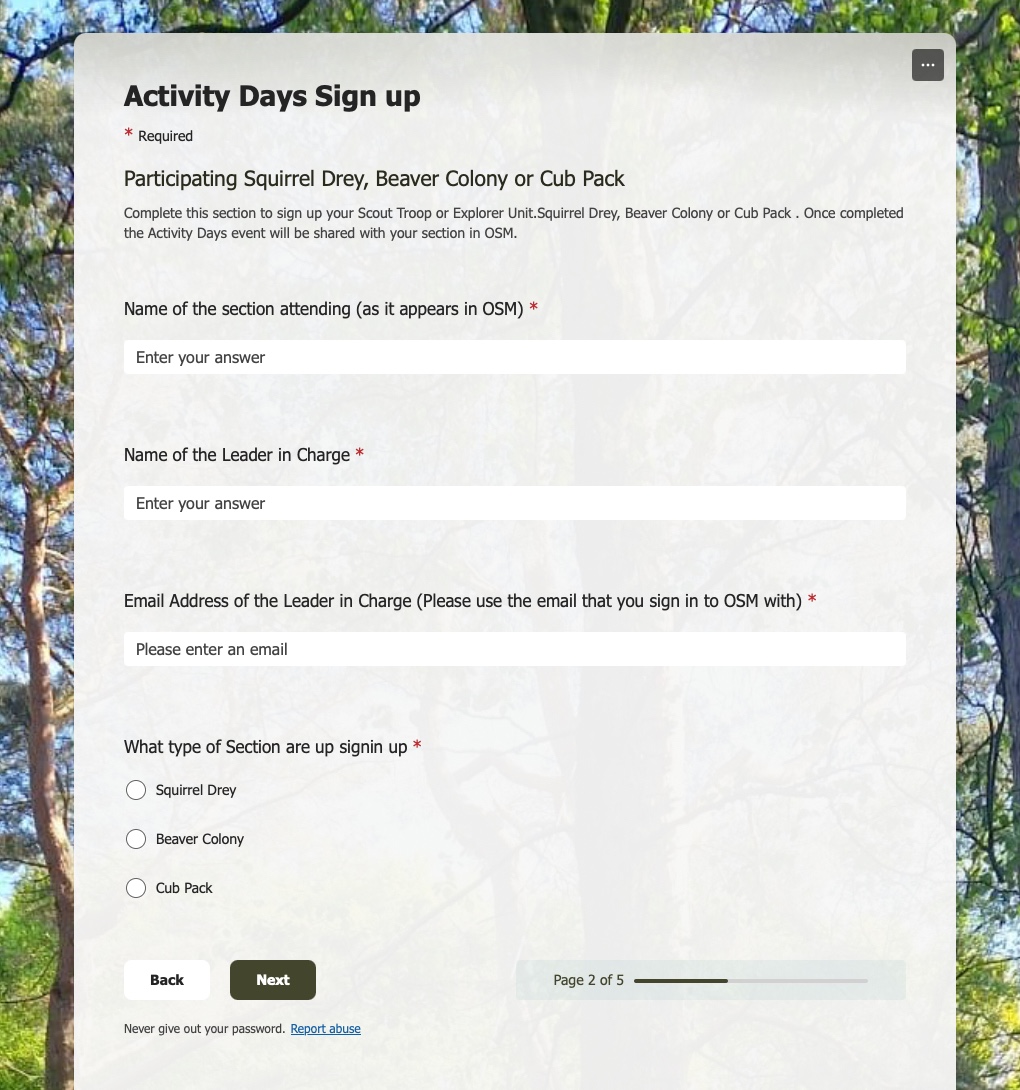
Having chosen how you are signing up, you should then enter the name of your section (as it appears in OSM – we will use this to find and share the OSM events with you).
Complete the name of the leader in charge of the group and their email address (ideally use the email address that they use with OSM, as if they also decide to join the staff team we can use this to add them to the Event staff team OSM section). Finally, indicate the type of section you are signing up.
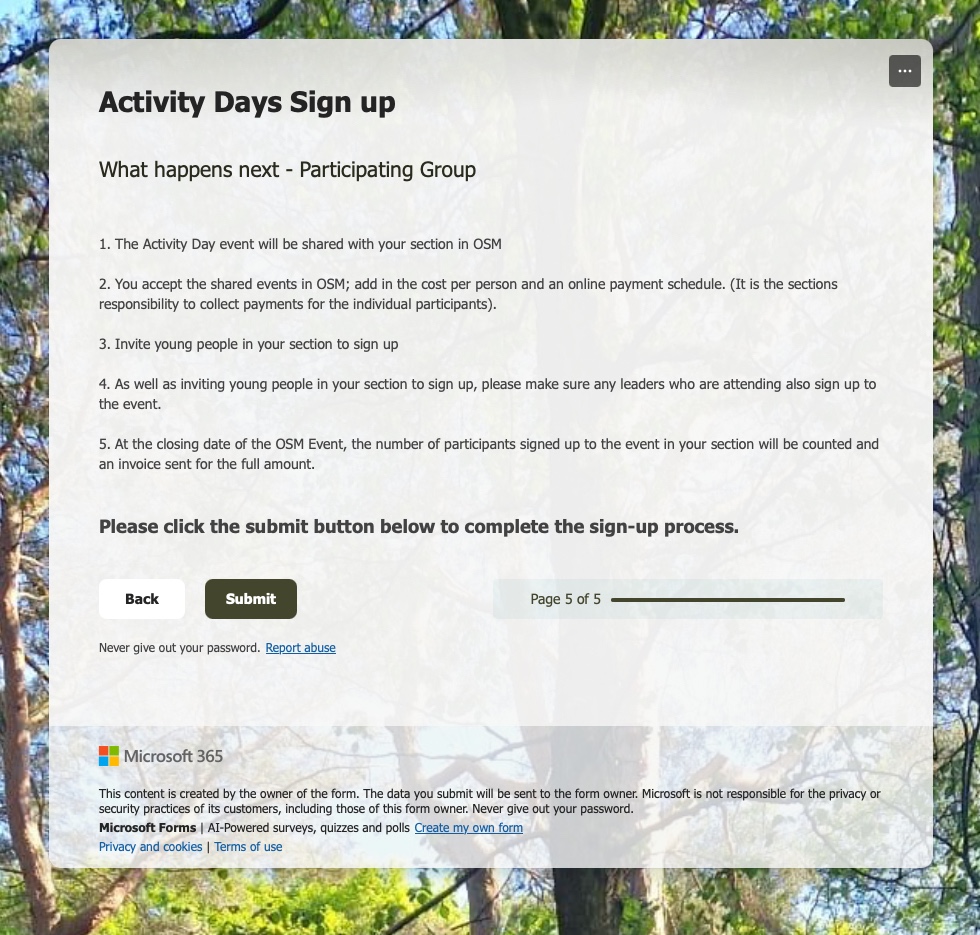
Read the information on the final page about what happens next and then click the Submit button to complete the sign up process. If you signed up as a participating group either the Cub Activity Day Event or the Squirrel/Beaver Activity Day event will be shared with you in OSM
If you sign up for the event staff team you will be added to the “Event Staff Team” District OSM Section and you will also be invited to the “Activity Day Staff” Event
Accept the the Activity Day Event in OSM and share with your section
If you signed up to participate, lookout for one of the the following events on your OSM Dashboard.
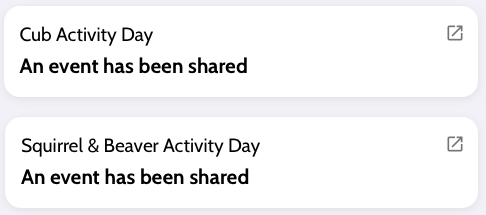
To accept the events, click the view button.
A “shared event” box will be displayed similar to the one shown below. Tick the “Let organiser email attendees & waiting list”, but leave the “Let organiser download personal details” unticked. Finally, click the Accept button.

Once accepted, you can edit the parent portal description and cost if you wish before sharing the event with your section. Please do not edit the columns associated with the events this information is required by the event team.
Providing your details and volunteering preferences for the Event Staff Team
After signing up as a member of the staff team you will be added to the Event Staff Team OSM section.
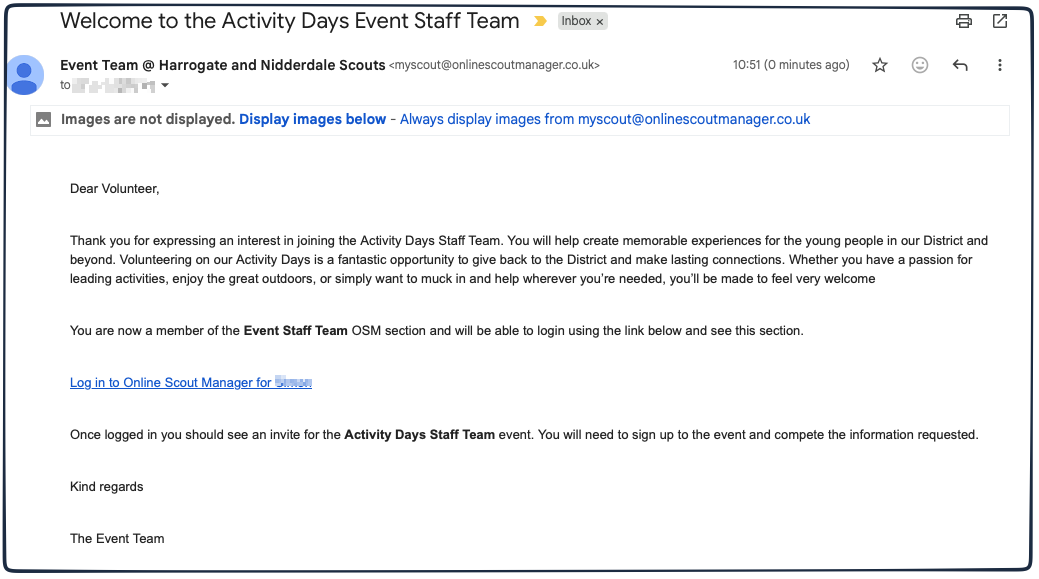
You will receive an email from OSM (similar to the screenshot below) inviting you to sign in to the Event Staff Team OSM section.
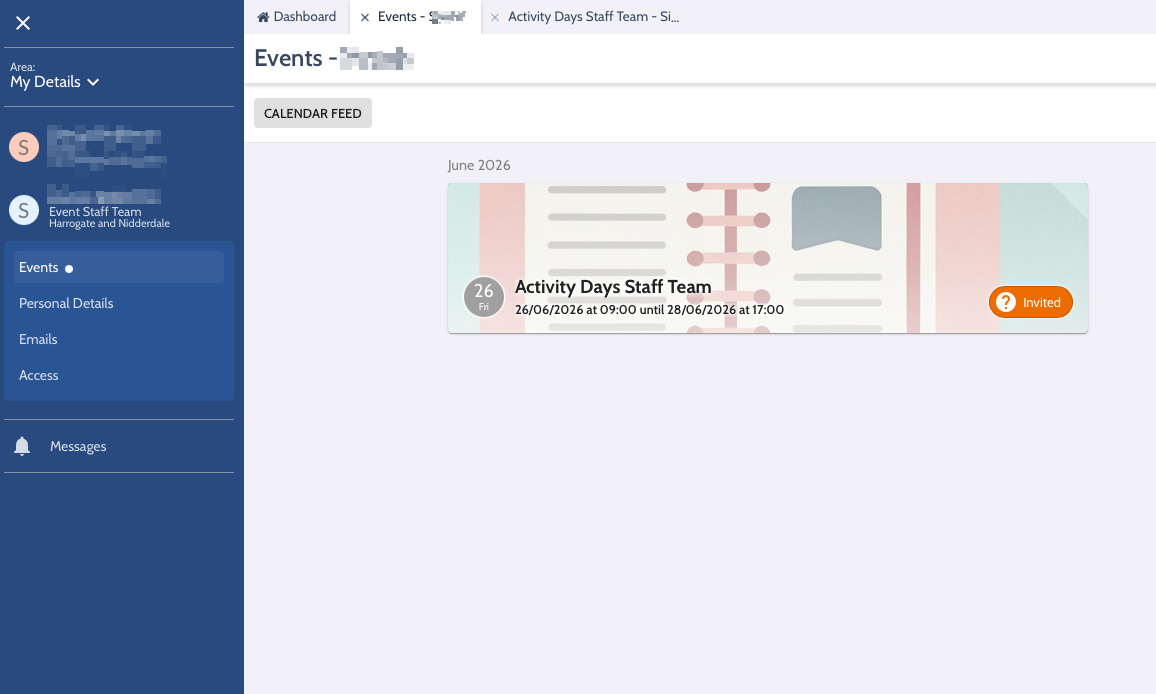
Sign in to OSM and you should see the “Activity Days Staff Team” event
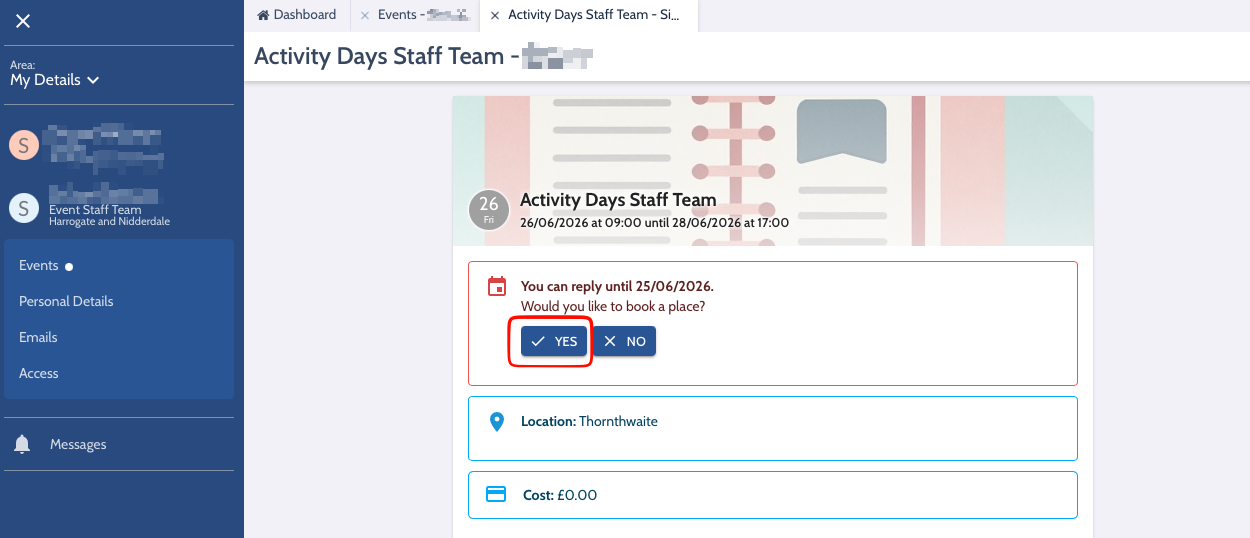
Click the event, and click the “Yes” button to sign up.
Answer the questions about dietary requirements, allergies and medical information along with the questions on whether you require accommodation and your preferences in terms of when and what activities you would like to help on. Finally click the “sign up” to complete the process.
The event team will get in touch with more information in due course.

